Don’t want to read - watch the video
\
You still need a recovery cluster, MST paired to that bucket and a recovery point on the recovery AZ. What changed is the wait for a full local disk before power-on.
Prism Central pc.7.5.1 or later and AOS 7.5.1 or later. AHV VMs and VGs only. Object-store recovery points show a Bucket prefix in Location.
One VM. Two finish lines.
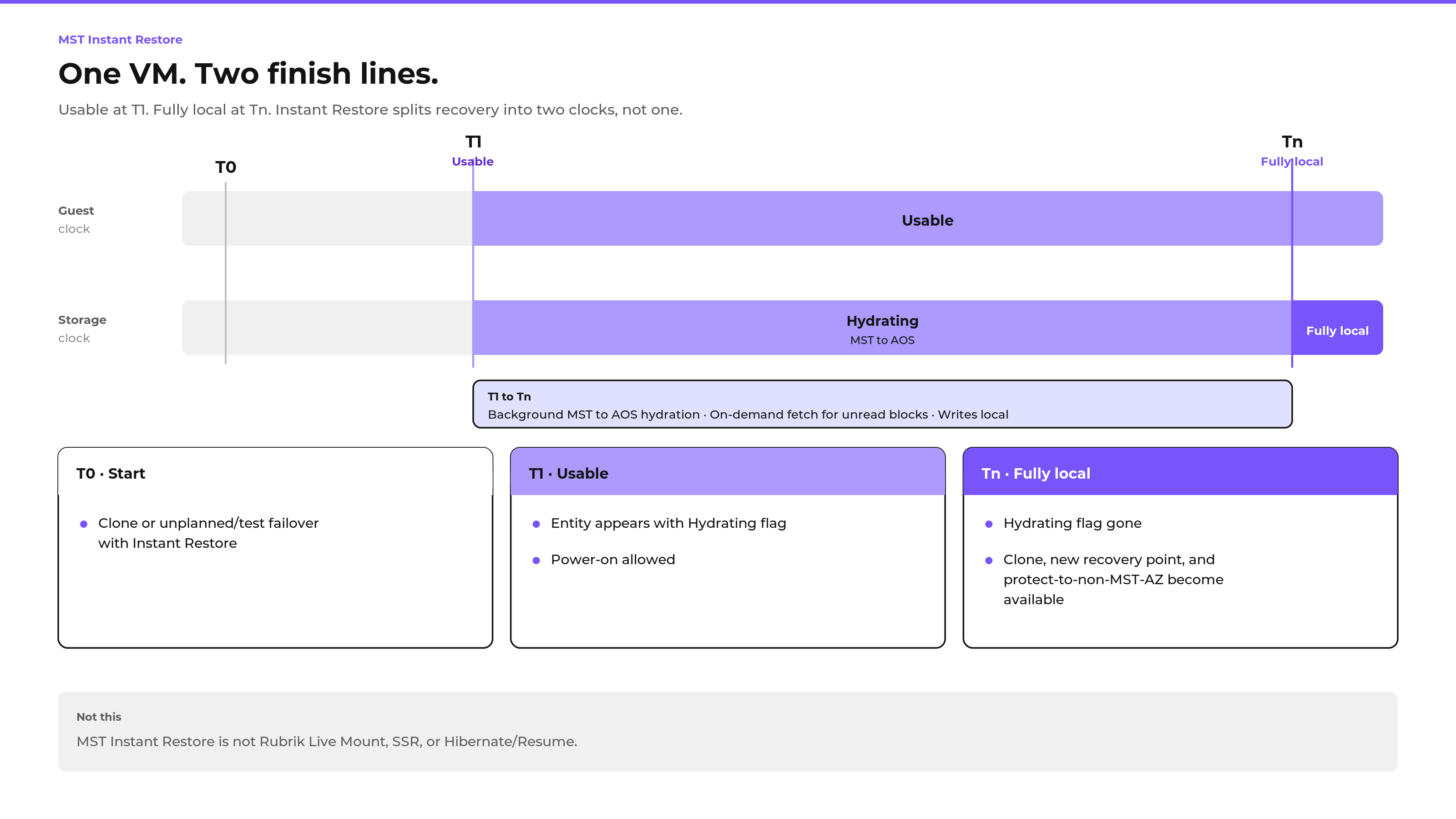
Recovery used to mean one clock: wait until every block is local, then boot. Instant Restore splits that into two.
T0. You clone from an MST recovery point, or you run an unplanned or test failover with Instant Restore enabled. Planned failover does not use Instant Restore.
T1. Usable. The entity shows up with a Hydrating flag. Power-on is allowed. The guest can boot and run. Disk data is still moving from the MST bucket into AOS.
Tn. Fully local. The Hydrating flag is gone. Cloning, creating a new recovery point and protecting to a non-MST AZ become available again. The guest was already usable at T1. Tn is when the storage story is finished.
A recovery-plan failover can power the guest on for you. An out-of-band Instant Restore clone may come back powered off. Check the power state after the clone. Attach a network if the clone landed without a vNIC.
Writes land local. Missing reads wait.
While the Hydrating flag is up, I/O is not symmetric.
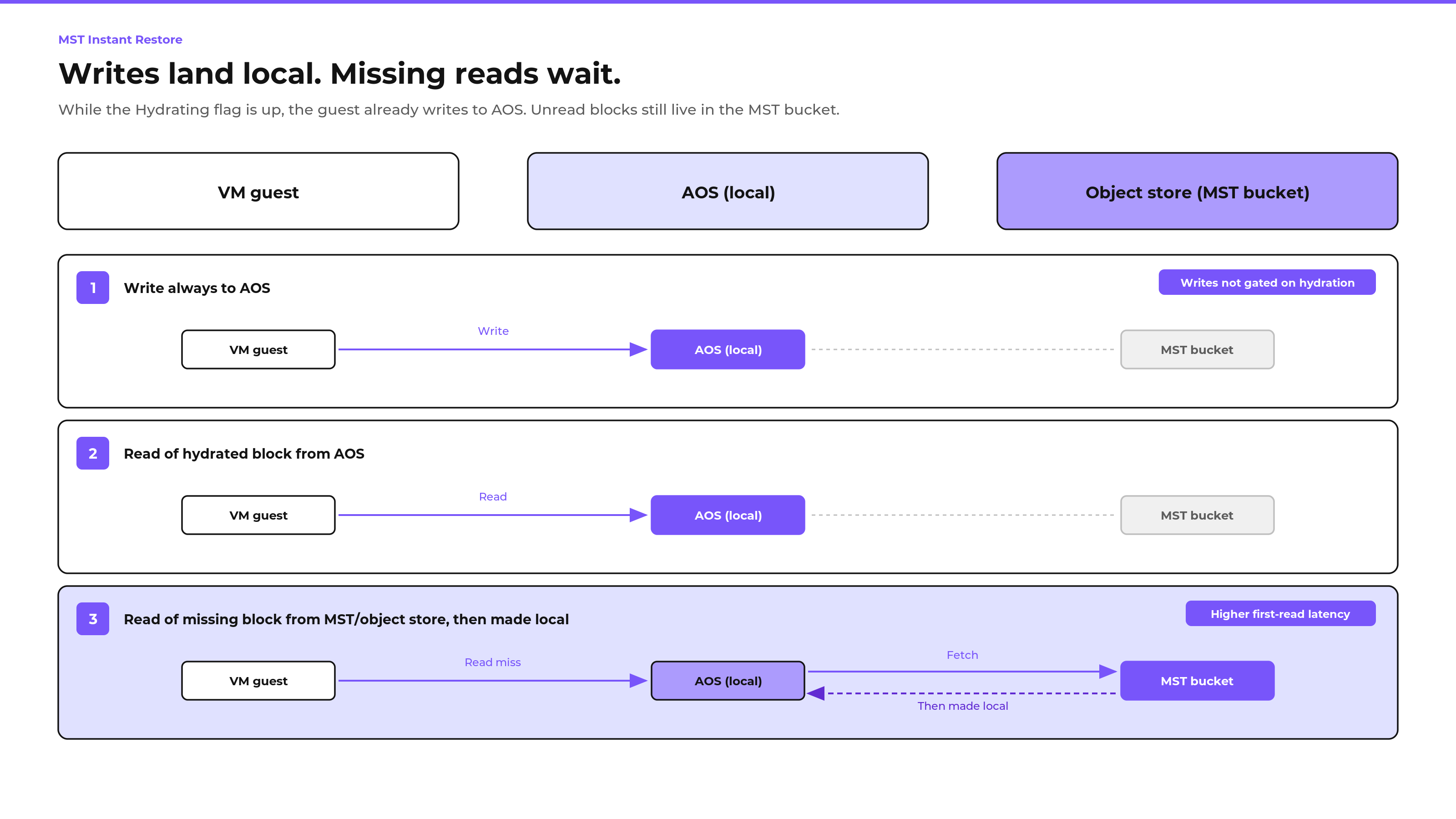
- Writes always go to AOS. New guest writes do not wait on hydration. They land on the recovery cluster from the first moment the VM is running.
- Hydrated reads stay local. Once a block has been seeded to AOS, the next read hits local storage.
- A read miss fetches from the MST bucket, then becomes local. The first touch of a block that is still in object storage pays a remote fetch. After that, the block is on AOS.
That is why Instant Restore can cut time-to-boot without pretending the whole disk is already home. The guest runs. The storage fabric catches up.
Power-on does not wait on guest data.
Operators ask what has to be present before the VM can boot. Guest data blocks do not. The left stack does.
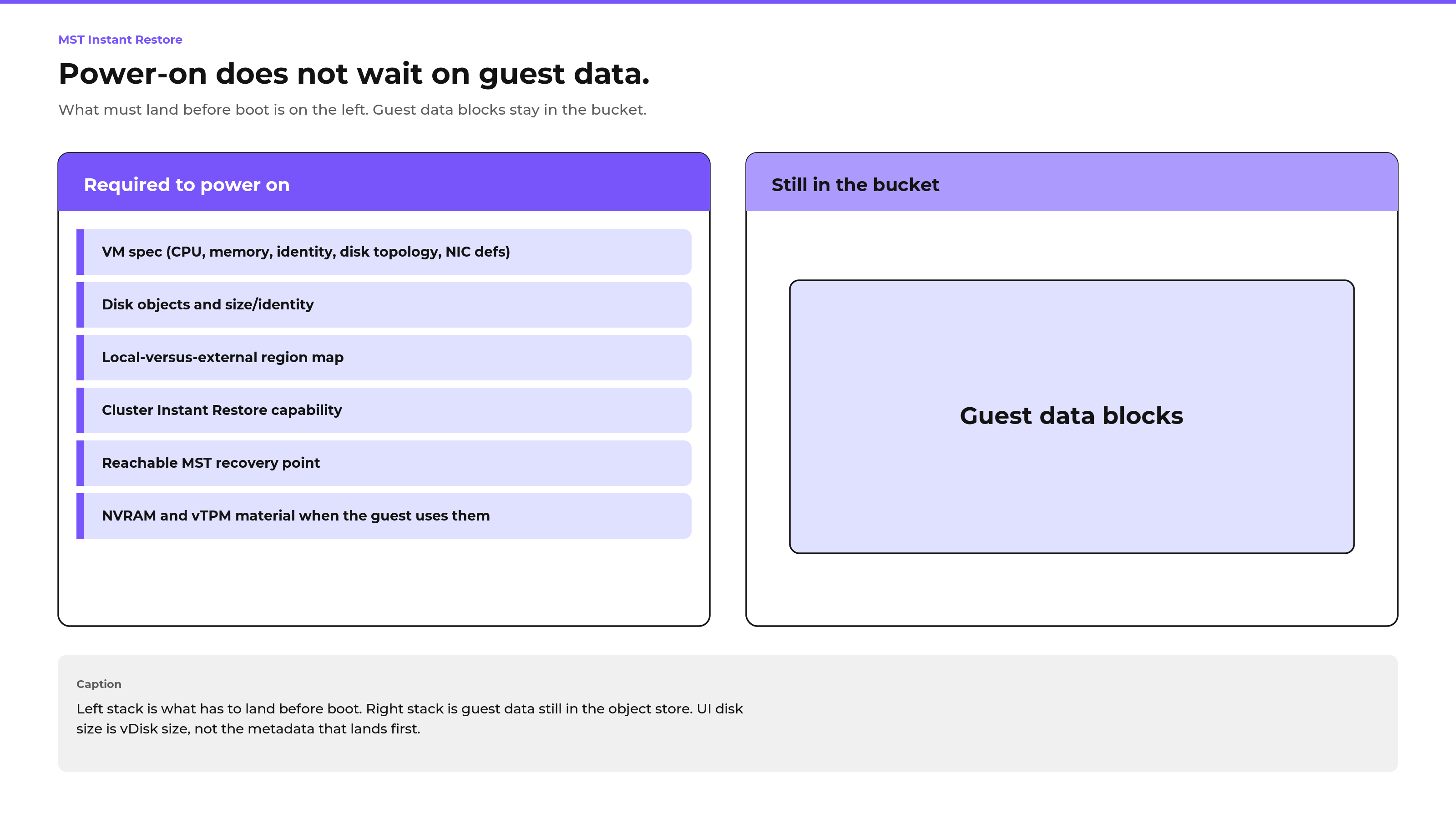
Required to power on
- VM spec: CPU, memory, identity, disk topology, NIC definitions
- Disk objects: size and identity, tied to the recovery point
- Local-versus-external region map so AOS knows whether a read is local or still in the bucket
- Cluster Instant Restore capability on the target
- A reachable MST recovery point
- When the guest uses them: NVRAM and vTPM disk material
Still in the bucket
- Guest data blocks. Those hydrate in the background or arrive on first read.
The disk size you see in the UI is the vDisk size. It is not the amount of metadata that had to land before boot. Metadata is small and structured. Guest data is what fills the right side of the figure.
Size the recovery stack, not just the disks.
Instant Restore shortens the wait for guest data. It does not invent capacity.
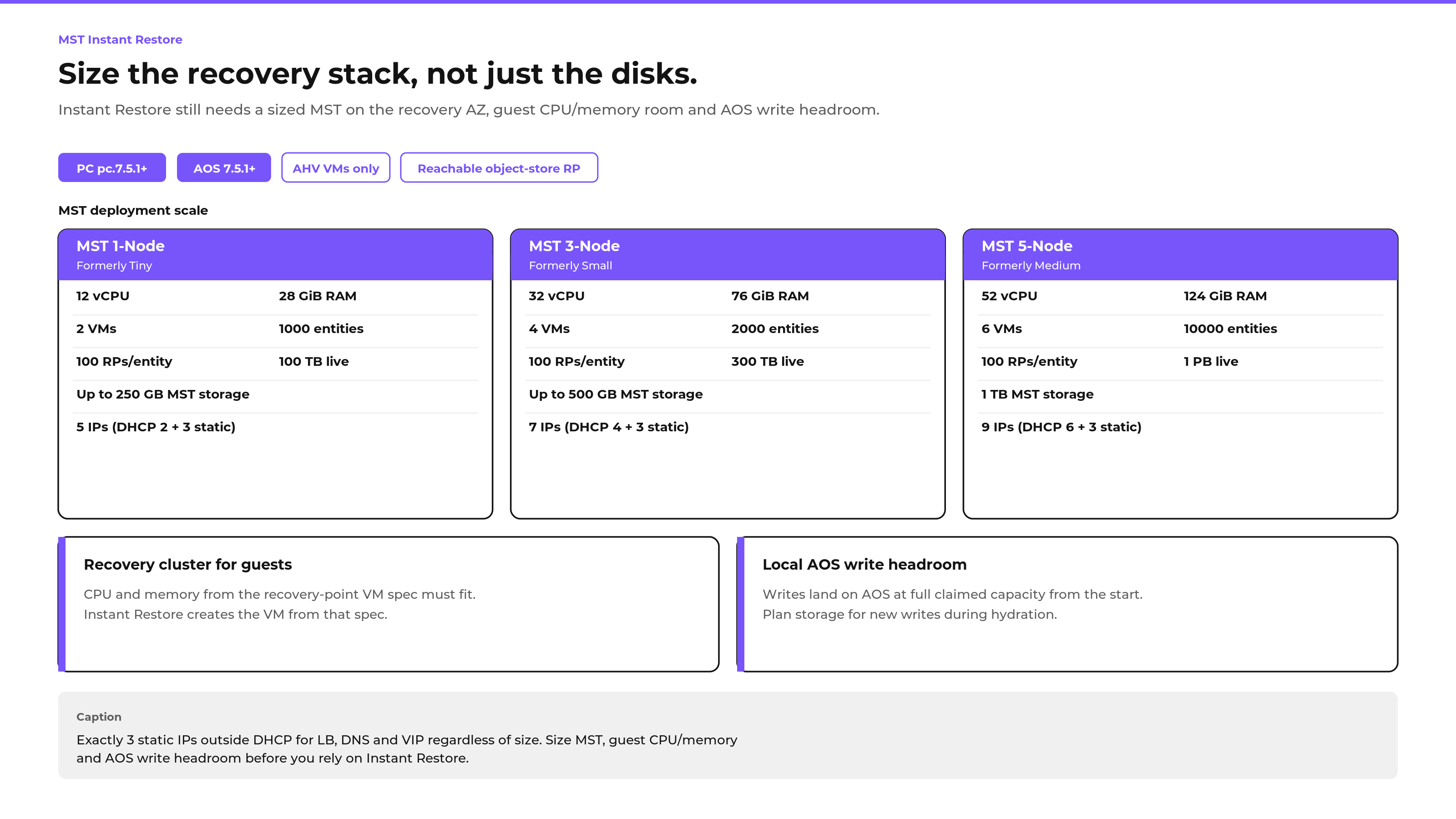
Four things still have to be true when the guest powers on:
- MST on the recovery AZ is sized for the job. Entity count, recovery points and live data have to fit the MST deployment you stood up.
- The recovery cluster can host the guest. Instant Restore builds the VM from the recovery-point spec. CPU and memory on that spec must fit.
- AOS has write headroom. Writes go local from the start. Plan storage for new writes during hydration, not only for the eventual full-disk seed.
- The path to the object-store recovery point is live. No bucket, no Instant Restore.
What Instant Restore does not buy you
It cuts the wait between “the recovery point is on the recovery AZ” and “the VM can boot.”
It does not cut cluster bring-up. It does not cut MST deploy. Zero Compute still pays the time to stand up the on-demand cluster, pair MST and then clone. After restore the entities are unprotected. Re-protect is a separate step. Of course you can use a pilot-light cluster to have a tier recovery plan approach.